



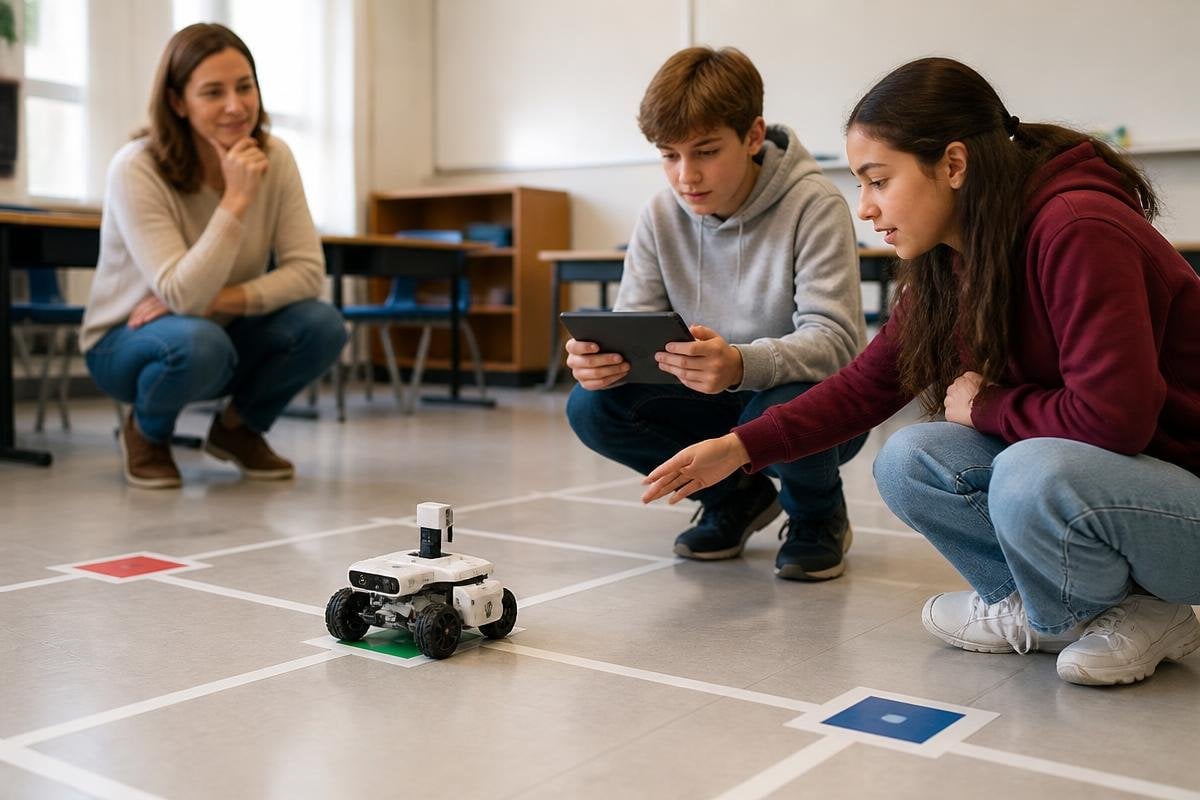
Adding a robot changes a classroom task before it changes a student’s knowledge. The student may need to give spoken instructions, check sensor data, or fix a failed action, so the teacher can see parts of the learning process that paper work often hides.
- Students explain steps more clearly when a robot must follow them.
- Robot errors give teachers a visible point for discussion.
- The useful question is what students do with the robot, not whether it looks advanced.
The robot changes the task
A worksheet can accept a short answer. A robot needs an action in the right order. If a student tells a mobile robot to move to a marked spot, they must think about distance, direction, and the result they expect to see.
That work makes gaps easier to spot. A student may know the word “forward” but miss the need to set a distance. Another may write correct steps yet fail to check whether the robot reached the right place. The machine turns those hidden choices into visible actions.
This does not mean a robot teaches a topic by itself. The teacher still sets the task, explains the goal, and asks students to link the robot’s behavior to the subject being taught.
Students explain more of their thinking
Robots can create a reason for students to speak, write, or draw their plan before they run it. A group might need to describe a route, label sensor readings, or explain why an arm stopped before it reached an object.
The explanation matters because the robot’s action gives the class something specific to inspect. Instead of asking whether an answer “looks right,” the teacher can ask which instruction caused the turn, which reading changed, or where the plan stopped matching the result.
The group setup also changes who does the thinking. One student may type code while another watches the robot. The task works better when every student has to predict the next action and explain the evidence after the run. A rotating job list can help: planner, operator, observer, and checker.
A failed run can teach more than a smooth one. Robot24.com can add reports about robot tasks and their stated limits, giving students a reason to compare a classroom result with the claim behind it.
Errors become part of the lesson
A failed run gives students a concrete event to discuss. The robot may stop at the wrong point because the distance value was wrong, or it may follow the route but miss the intended object. The class can compare the plan with the recorded result and choose one change for the next run.
Teachers need to keep the error tied to the learning goal. If the lesson concerns measurement, students should check units and readings. If it concerns writing instructions, they should inspect order and detail. The machine can produce plenty of activity without producing much learning.
There is also a practical limit. A robot can draw attention away from the subject if students spend the lesson fixing cables, waiting for software, or arguing over who holds the controller. The machine needs a clear job, a short setup path, and a way to work without it when a fault stops the activity.
I’d use a robot when its actions make student thinking easier to see, not when the robot is the lesson’s main attraction.
A classroom decision guide
Use these checks before adding a robot to a lesson:
- Name the target: write the skill students must show without relying on the robot.
- Set one action: give the robot a small task with a clear expected result.
- Require a prediction: have students state what will happen before the run.
- Record the evidence: save code, measurements, drawings, or a short observation note.
- Plan the fallback: prepare a paper, simulation, or teacher demonstration if the robot stops.
These checks keep the machine connected to the lesson. They also give quieter students a role beyond pressing the run button, since prediction and observation can carry as much weight as control.
The next useful step is to compare student explanations before and after the robot run. If those explanations become more precise, the robot is helping; if the class only becomes busier, the task needs changing.
